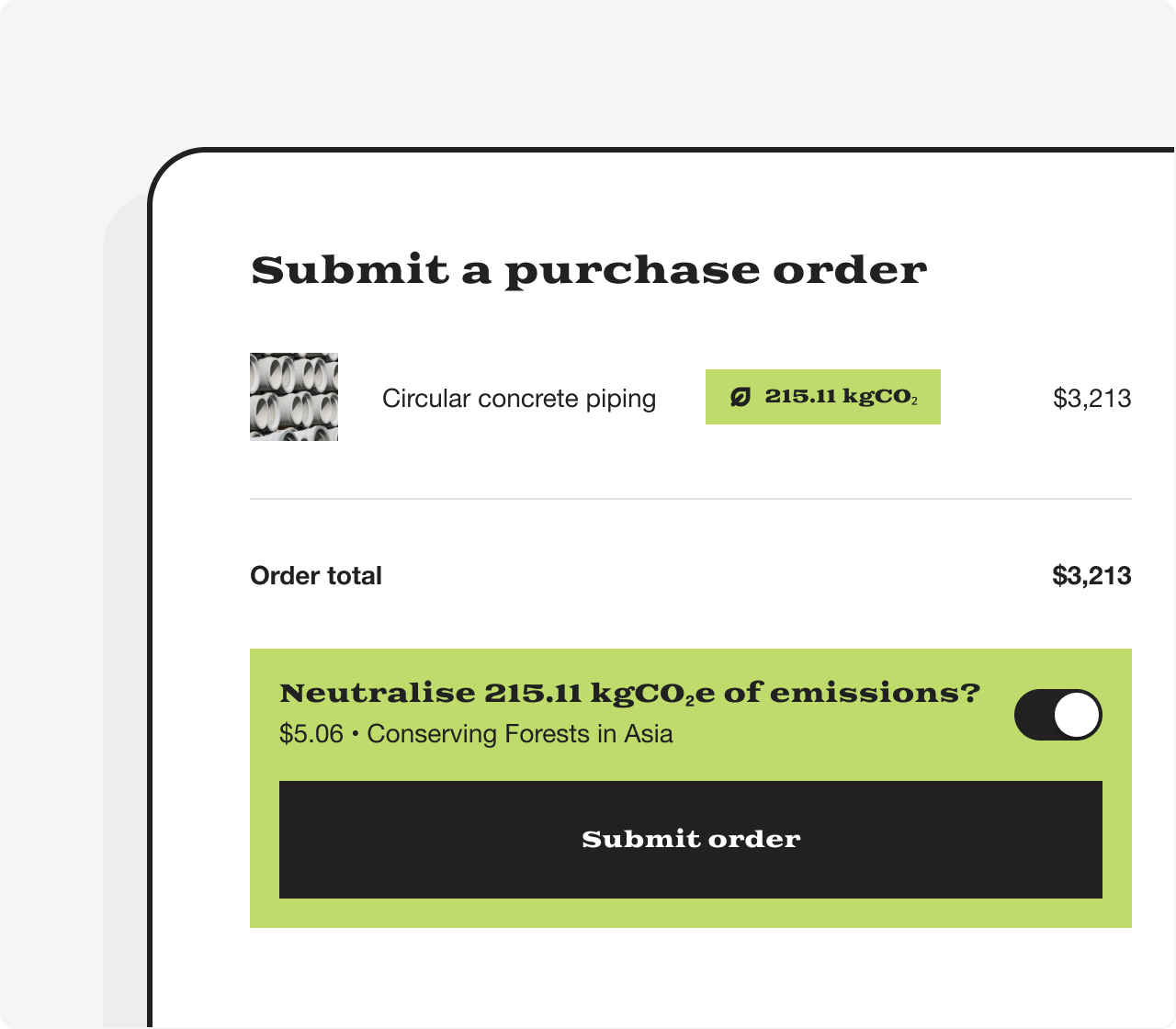
Eco procurement
The Lune API and our approach
Lune provides a single API for use in-app and web channels to fetch, mutate, and deliver the data necessary to offset CO₂ emissions across a range of verticals.
Our API-first approach allows our customers to embed carbon offsetting and emission calculations into logistics, payments, and fintech platforms to deliver a unique and programmatically driven experience that brings climate into our clients' products.
Overview
In this guide, you will learn how to interact with the Lune API in order for suppliers to
- Pick the most appropriate emission factor
- Calculate emissions for one unit of their product
and buyers to
- View emissions for the products they wish to acquire
- Offset those emissions
Who is this guide for?
This guide is primarily aimed at Product Managers and developers looking to integrate CO₂ emissions estimations and offsetting into an existing end-user experience.
Feel free to contact our support team if you encounter any issues integrating our logistics use case.
Concepts
- Client account - You can optionally create a client account for each of your clients to define their basic characteristics, such as name, currency, and beneficiary. Clients will be provided a Lune defaults
- Lune defaults - Lune has provided a default Project bundle for each of our clients. Every order will be placed against the following projects and ratios:
- Conserving forests in Asia - 95%
- Ocean Carbon Removal - 5%
- Project bundle - Group of offsetting projects with similar characteristics., e.g., Conserving forests in Asia and Ocean Carbon Removal
- Emission factor - A coefficient representing the amount of emissions per unit of an activity, eg 0.354kgCO₂/USD
Getting an API key
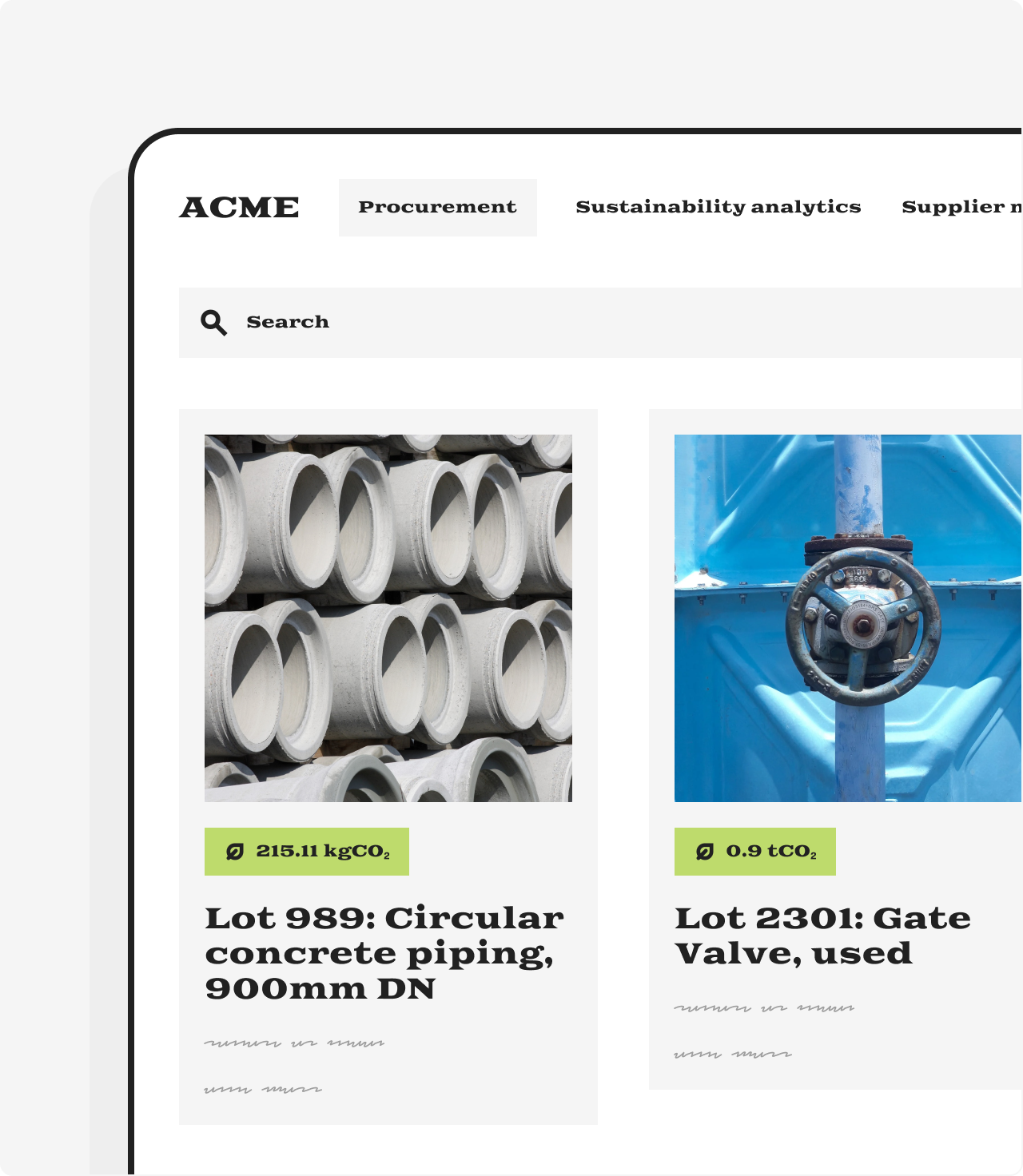
First, head over to the Lune dashboard and generate a new API key.
Navigate to https://dashboard.lune.co/developers
Select New Test API Key, enter a value in the Name field, and select an account from Default account
Select Save
Copy your API key, as you'll need it to interact with the Lune API
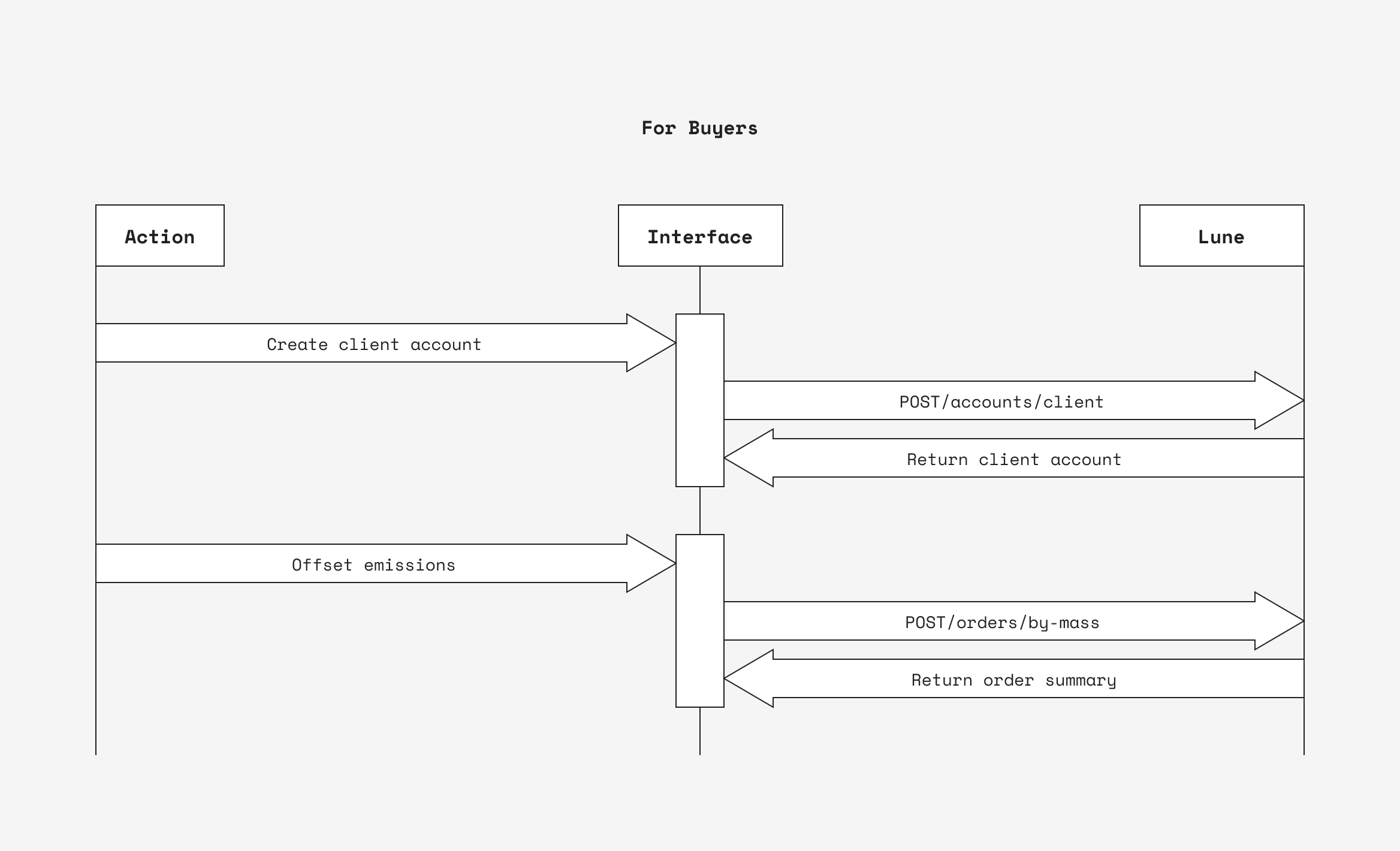
For suppliers
Pick the most appropriate emission factor
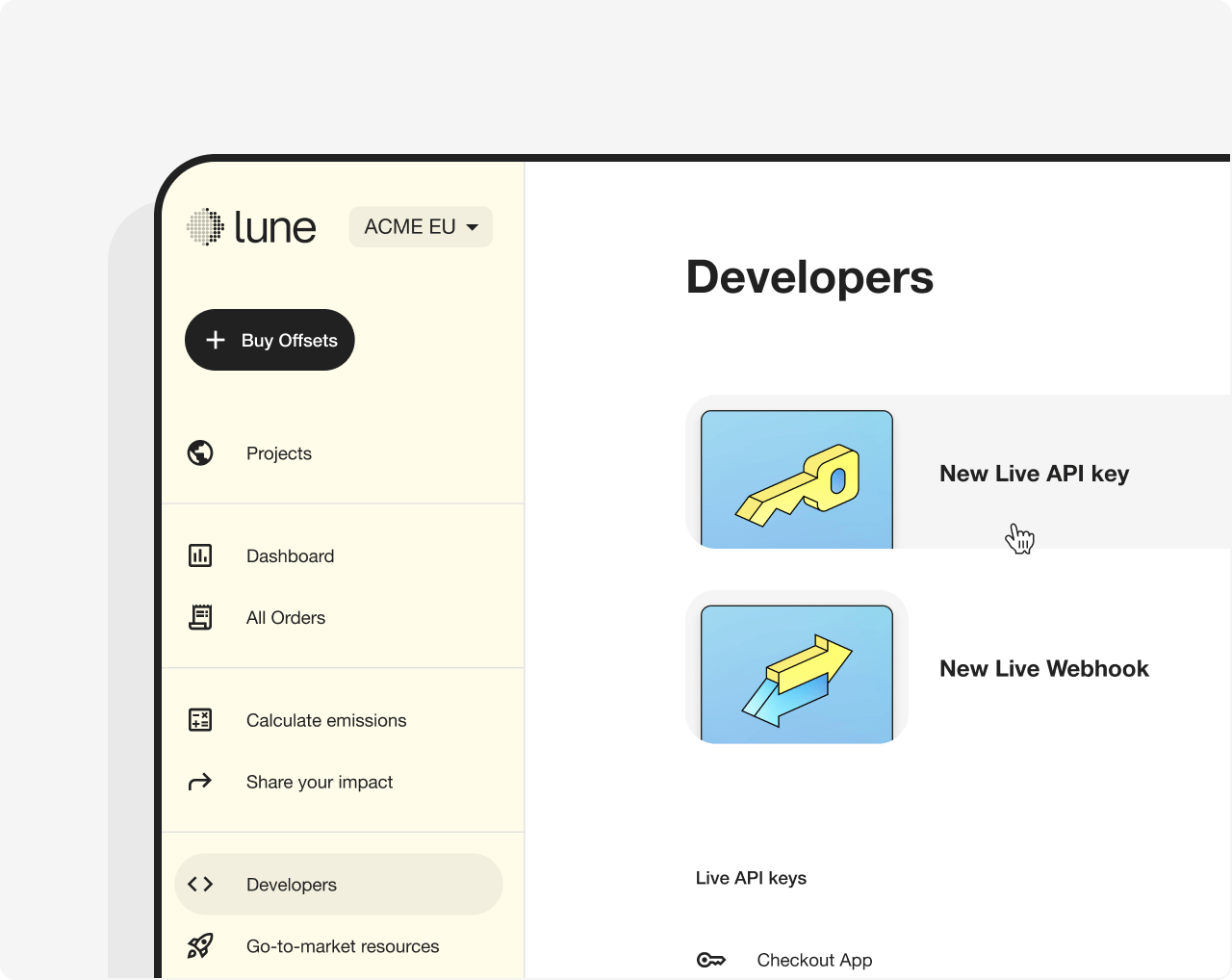
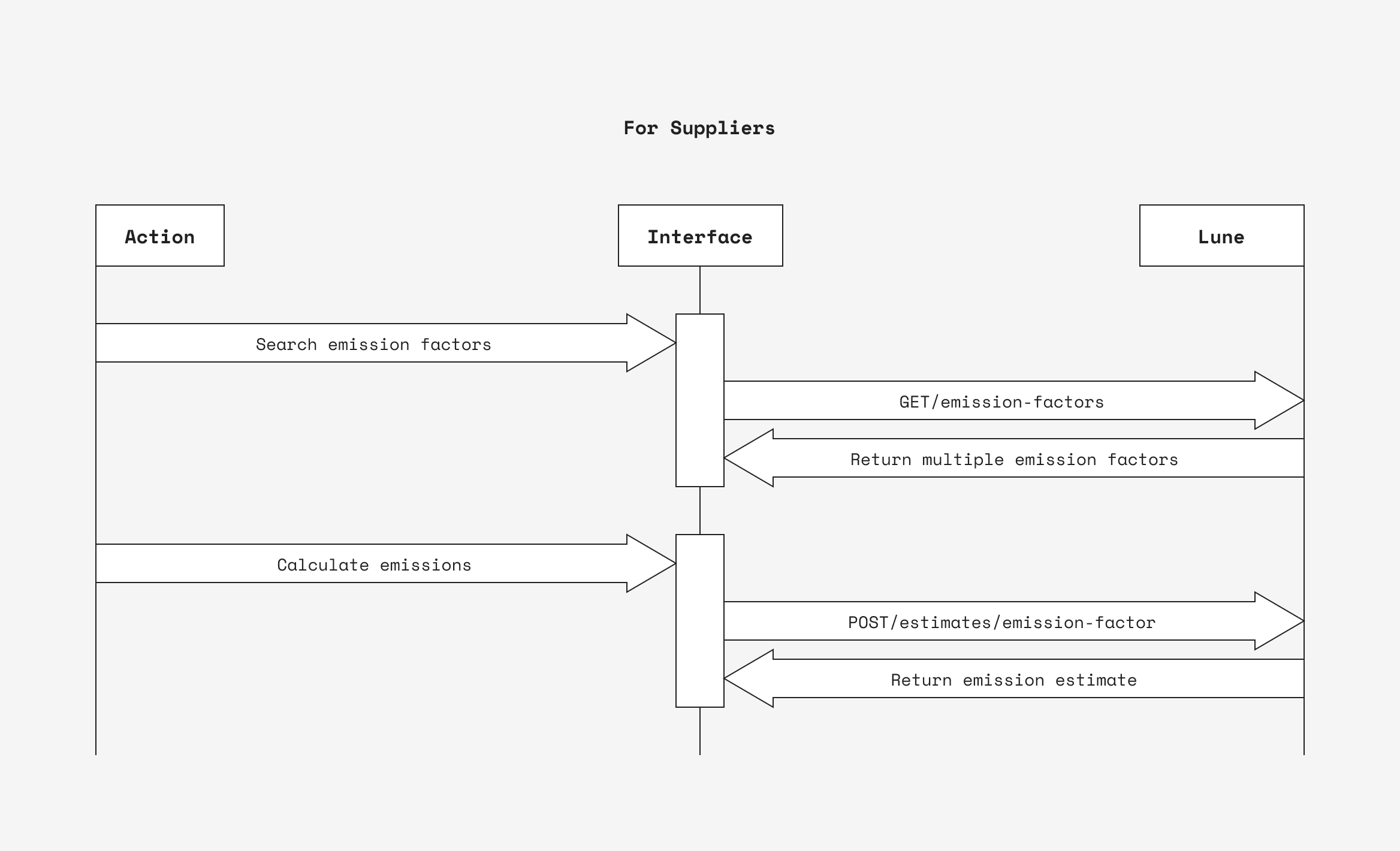
To calculate your supplier's product emissions, you need to allow them to pick an emission factor that matches their product.
On the page where your supplier adds a product, enable them to search for the most appropriate emission factor.
You may combine multiple filters for a more accurate emission factor match.
You can explore emission factors in the Lune dashboard
Sample request
Where:
nameis a case-insensitive search termsourceis the emission factors databaseregionis the geographical location the emission factor applies to
Sample response
A successful 200 response will return a paginated list of emission factors ordered by best match.
Where:
idis the unique identifier for the emission factor, which you must use to perform an emission calculationnameis the emission factor's nameregionis the geographical location the emission factor applies tonumerator_unitis the emission factor's numerator unitdenominator_unitis the emission factor's denominator unit.numerator_unit/denominator_unitfor the emission factor'sunit
Recommended UX
- Display the returned emission factors to your supplier. As a minimum, it is recommended that you display
name,region - Enable suppliers to pick the emission factor that matches their product
- If necessary, ask your supplier to enter the unit of activity required by the emission factor. For instance, the emission factor's unit for "Concrete pipe, bricks, and blocks" is
kgCO2e/USD. This means that to calculate the emissions of your supplier's product, a USD monetary amount is required (the emission's factor denominator).
curl https://api.lune.co/v1/emission-factors \
  --get \
  --data-urlencode "name=pipe" \
  --data-urlencode "region=United States of America" \
-H "Authorization: Bearer $API_KEY"{
"has_more": false,
"data": [
{
"id": "VndoQ0PZjGMzvYON4vy6kbgN1eOJx9B8",
"name": "Concrete pipe, bricks, and blocks",
"source": "epa",
"publication_year": 2022,
"numerator_unit": "kg",
"denominator_unit": "USD",
"created_at": "2023-04-27T15:34:02.746Z",
"region": "United States of America"
},
{
"id": "MbvJoOaX54V1wpNvgrp8dWDGQ7m239Bx",
"name": "Fabricated pipe and pipe fittings",
"source": "epa",
"publication_year": 2022,
"numerator_unit": "kg",
"denominator_unit": "USD",
"created_at": "2023-04-27T15:34:02.846Z",
"region": "United States of America"
},
{
"id": "gWvGZXeEK9QjMyd0DxyLmBVoNr3n2lxq",
"name": "Pipeline transport",
"source": "epa",
"publication_year": 2022,
"numerator_unit": "kg",
"denominator_unit": "USD",
"created_at": "2023-04-27T15:34:03.306Z",
"region": "United States of America"
}
}Calculate a product's emissions
Once an emission factor has been picked, use its id to calculate the emissions for one unit of your supplier's product.
Sample request
Where:
idis the emission factor's unique identifieractivityis measure of the activity being estimated in the emission factor's unit
Sample response
A successful 200 request will returns an emission estimate.
Where:
idis the unique identifier for the CO₂ emissions estimatemass.amountis the CO₂ estimated for the productemission_factoris the emission factor object used to produce the estimate
Store the emissions for one unit of your product in your database.
curl 'https://api.lune.co/v1/estimates/emission-factor' \
  -H 'Authorization: Bearer $API_KEY' \
  -H 'Content-Type: application/json' \
  -X POST \
  -d '{
    "emission_factor_id": "VndoQ0PZjGMzvYON4vy6kbgN1eOJx9B8",
    "activity": {
      "value": "32.13",
      "unit": "USD"
    }
}'{
"mass": {
"unit": "t",
"amount": "0.01654695"
},
"quote": {
"bundles": [
{
"quantity": "0.015719",
"bundle_id": "q9aKx7b6nNXMk3Yv3pD1mlW5Od2eLZE8",
"unit_price": "9.09",
"bundle_name": "Conserving forests in Asia",
"offset_cost": "0.15",
"gross_unit_price": "10.1",
"insufficient_available_quantity": null
},
{
"quantity": "0.000827",
"bundle_id": "xWaKJL3okjD46VpJ4yGXnQNZRe1vzP0w",
"unit_price": "250",
"bundle_name": "Ocean Carbon Removal",
"offset_cost": "0.21",
"gross_unit_price": "277.78",
"insufficient_available_quantity": null
}
],
"currency": "USD",
"requested_value": null,
"estimated_quantity": "0.016546",
"requested_quantity": "0.01654695",
"estimated_commission": "0.05",
"estimated_total_cost": "0.39",
"estimated_offset_cost": "0.34"
},
"emission_factor": {
"id": "VndoQ0PZjGMzvYON4vy6kbgN1eOJx9B8",
"name": "Concrete pipe, bricks, and blocks",
"region": "United States of America",
"source": "epa",
"created_at": "2023-04-27T15:34:02.746Z",
"numerator_unit": "kg",
"denominator_unit": "USD",
"publication_year": 2022
},
"id": "G3gQ20wWdPJXMyrZ2jmyzvje61OnB9Kx",
"request": {
"emission_factor_id": "VndoQ0PZjGMzvYON4vy6kbgN1eOJx9B8",
"activity": {
"value": "32.13",
"unit": "USD"
}
}
}For buyers
Display product emissions
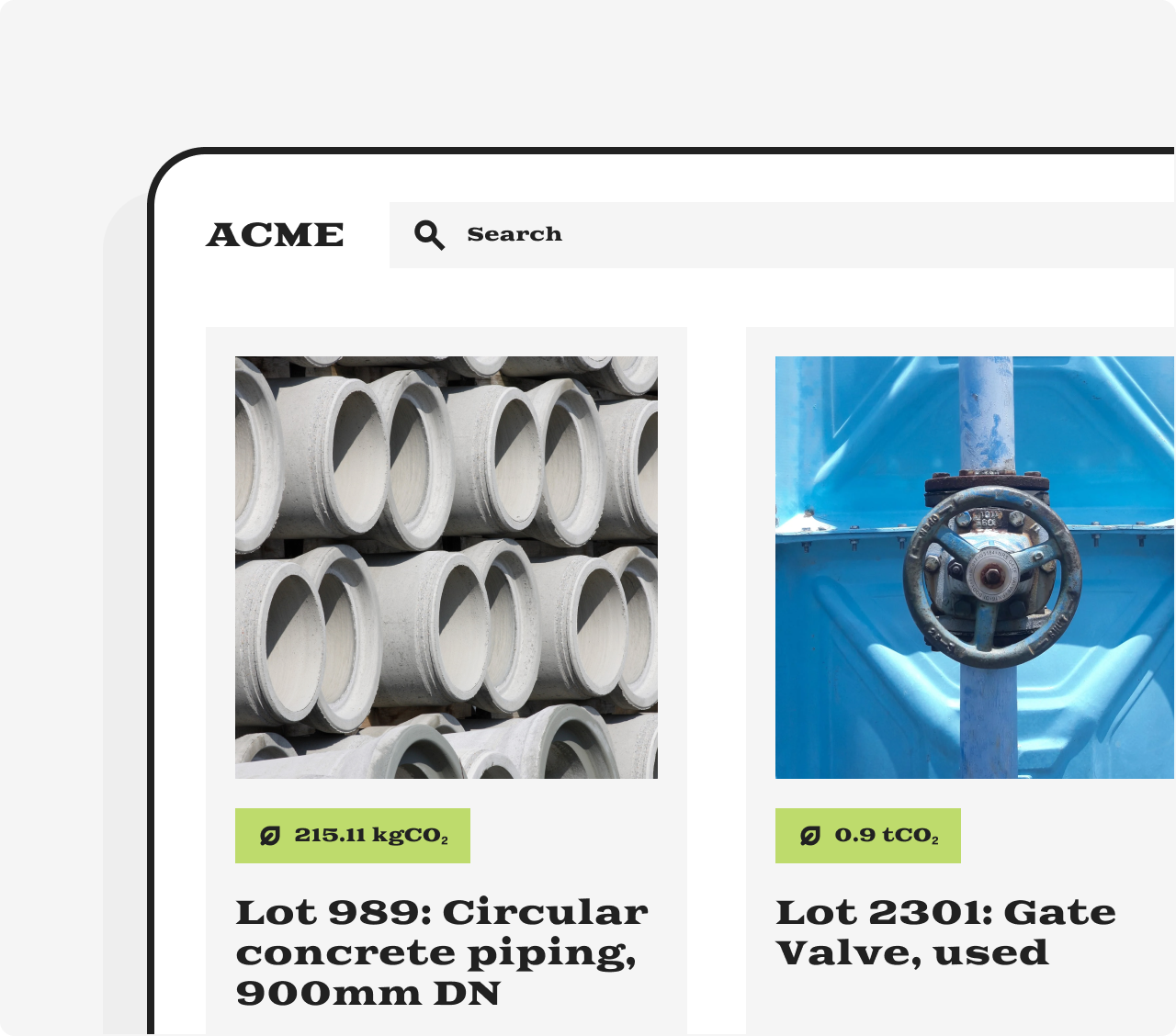
To display products' emissions to your buyers, use the emissions that you have calculated and stored in your database as explained in the previous paragraph.
Create a client account
A client account is required for each of your clients and defines their basic characteristics, for example, the currency used to display emission offsetting prices.
Store and map the client account id to your client in your database.
Client accounts are optional but recommended for B2B businesses and discouraged for B2C businesses. Learn about their benefits and how to use either.
Sample request
You can optionally pass in beneficiary to link a client account to the legal entity receiving the carbon offset.
Sample response
A successful request will return a unique id, which you will need to pass in later interactions with the Lune API.
Where:
idis the unique identifier for each of your clients, which you must map in your code basenameis a name that you will use to identify your client and present offsetting options tocurrencydefines the currency used to display the price for each offsetting optiontypedefines the type of account. Usetestfor your playgroundbeneficiaryis the legal entity shown on the Carbon Offset Certificate and carbon registries
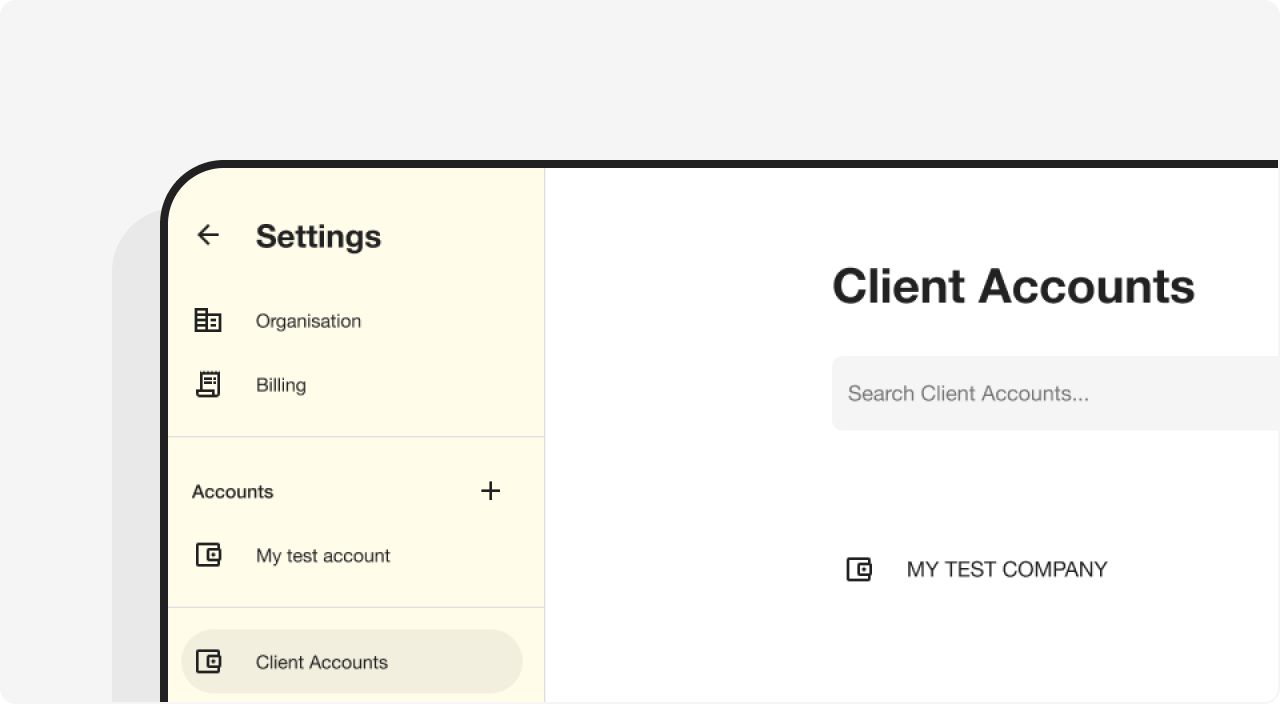
Following a successful response, a client account will be added to your dashboard:
You can access the dedicated client account page by appending the id to /client-account e.g., https://dashboard.lune.co/settings/client-accounts/K4enjo9g08vx3MpjnbpPrEZ57XJkDVdb.
curl "https://api.lune.co/v1/accounts/client" \
  -X POST \
  -H "Authorization: Bearer $API_KEY" \
  -H "Content-Type: application/json" \
  -d '
    {
      "name": "MY TEST COMPANY",
      "currency": "USD",
      "beneficiary": "MY TEST COMPANY INC"
}'{
"id": "K4enjo9g08vx3MpjnbpPrEZ57XJkDVdb",
"name": "MY TEST COMPANY",
"currency": "USD",
"balance": "0",
"balance_outstanding": "0",
"type": "test",
"scope": "client_account",
"beneficiary": "MY TEST COMPANY INC",
"organisation_id": "42O097M13DKvo5pmlJYZjmVlGzqJwXbE",
"bundle_portfolio_id": null,
"logo": null
}
Offset emissions
To enable your buyer to offset a product's emissions, multiply the product's emissions times the number of units the buyer is purchasing. Then place an order by mass.
Sample request
Where:
mass.amountis the total amount of CO₂ in tonnes to offsetmass.unitis the mass unit
Sample response
Where:
idis the unique identifier for the bookingidempotency_keyis a unique token that you submit as a request header, that guarantees that only one order will be created regardless of how many times a request is sent to usstatusis the order status.placedmeans the order has been validated, accepted and will be fulfilledoffset_costis the cost of purchasing the offsetstotal_costis the total cost of purchasing the offsets, including Lune's feecommissionis Lune's feequantityis the total quantity of offsets purchased, expressed in tonnesbundles.bundle_idare the Lune default project bundles against which CO₂ emissions will be offset
curl https://api.lune.co/v1/orders/by-mass \
  -H 'Content-Type: application/json' \
  -H "Authorization: Bearer $API_KEY" \
  -H "Lune-Account: $CLIENT_ACCOUNT_ID" \
  -X POST   -d '{
  "mass": {
    "amount": "215.11",
    "unit": "kg"
  }
}'{
"id": "mWxruXo29eGqzA14agjpNL5PwnkgaO8R",
"metadata": {},
"idempotency_key": null,
"type": "quantity",
"status": "placed",
"currency": "USD",
"offset_cost": "4.55",
"total_cost": "5.06",
"commission": "0.51",
"quantity": "0.215109",
"payment_method": "invoice",
"created_at": "2023-05-22T14:48:51.857Z",
"bundles": [
{
"bundle_id": "q9aKx7b6nNXMk3Yv3pD1mlW5Od2eLZE8",
"bundle_name": "Conserving forests in Asia",
"primary_image": "https://assets.lune.co/bundles/asia-forestry.png",
"quantity": "0.204354",
"unit_price": "9.13",
"gross_unit_price": "10.14",
"offset_cost": "1.87",
"insufficient_available_quantity": null
},
{
"bundle_id": "xWaKJL3okjD46VpJ4yGXnQNZRe1vzP0w",
"bundle_name": "Ocean Carbon Removal",
"primary_image": "https://assets.lune.co/bundles/seaweed-sequestration.png",
"quantity": "0.010755",
"unit_price": "250",
"gross_unit_price": "277.78",
"offset_cost": "2.69",
"insufficient_available_quantity": null
}
],
"projects": [],
"certificate": null,
"public_certificate_url": null,
"offset_link_id": null,
"email": null,
"estimate_id": null,
"requested_quantity": "0.21511",
"requested_value": null
}